Split bills. Not friendships.
Evenzo keeps every trip, flat bill, and group tab organized — share your JazzCash, Easypaisa, SadaPay, NayaPay, Raast or bank details once, and everyone knows exactly how to pay you back. No more "send it on JazzCash, I'll tell you the amount" on WhatsApp.
Now on Google Play · Android 7.0+Split with just a friend
No group needed — split a single expense directly with one person.
Your payment details, shared
JazzCash, Easypaisa, SadaPay, NayaPay, Raast or bank — on your profile.
One-tap settle up
Record a payment, attach a receipt — the other side confirms it.
One app for every kind of split
From a weekend trip with friends to your monthly flat bill with roommates, Evenzo handles the math — and the paying back — so you don't have to.
Group Expenses
Split any bill equally, by percentage, or by exact amount — add tags, notes, and a receipt photo for the record.
Scan a Receipt Beta
Point your camera at a bill and Evenzo fills in the title and total for you to check — the photo stays attached to the expense.
Friendly Reminders
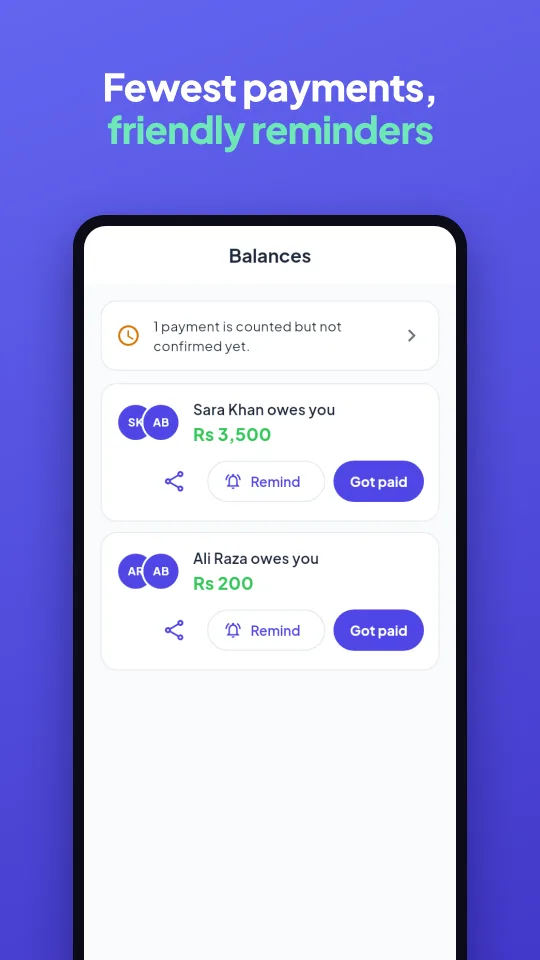
Nudge someone about what they owe with one tap — no awkward message to write yourself.
Daily Summary
A short morning roundup of payments waiting for you — sent only on days when something needs your attention.
Friends, Direct
Split an expense with one friend without ever creating a group — add them and go.
Smart Balances
Evenzo simplifies group debts automatically — the fewest payments needed to settle everyone up.
Settle Up & Confirm
Record a payment, attach a receipt, and let the other person confirm it — full settlement history, always visible.
Payment Details
Share your JazzCash, Easypaisa, SadaPay, NayaPay, Raast or bank details once — they're ready every time someone owes you.
Invite by WhatsApp or SMS
Send one link to bring a friend straight into a group, or share your own friend link — no app-store hunting, no typing a username.
Recurring Expenses
Rent, subscriptions, or a standing group bill — set the frequency once and Evenzo adds it automatically.
Spending Insights
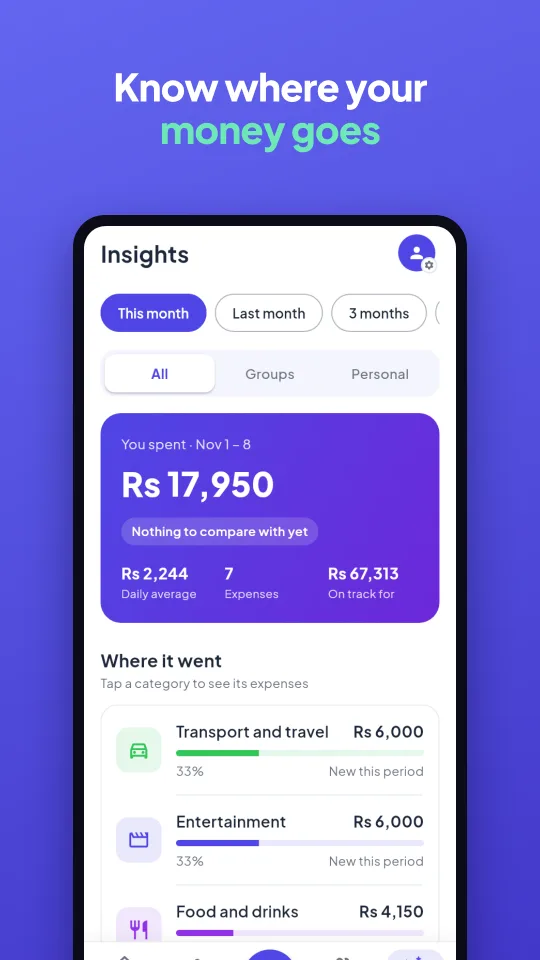
A clear breakdown of where your money goes by category, month over month — before it becomes a problem.
English + اردو
Use Evenzo the way you talk about money — switch the whole app to Urdu any time, in Settings.
Multi-Currency
Traveling? Split a bill in another currency while your rupee expenses stay tracked separately.
Private by Default
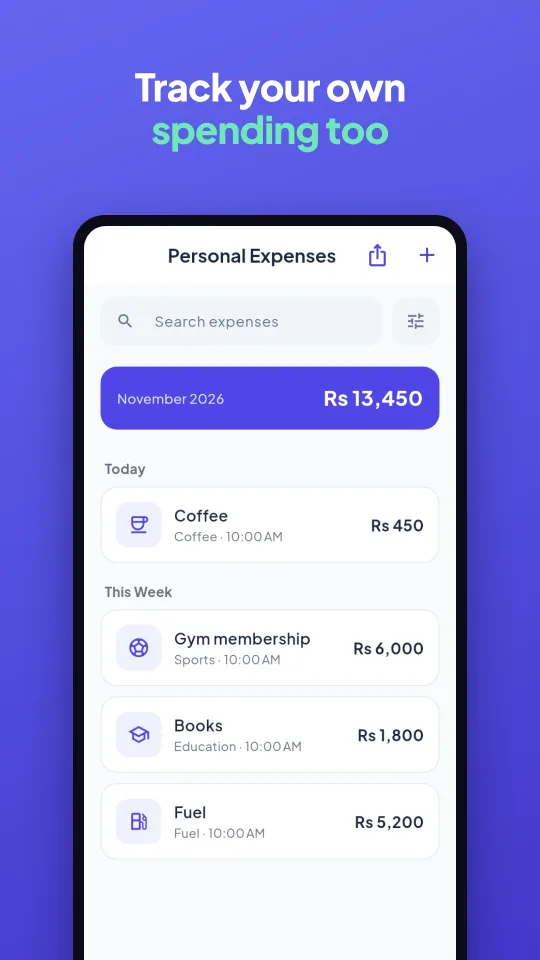
Your personal expenses are visible only to you. Group members only ever see what's shared inside that group.
Light & Dark
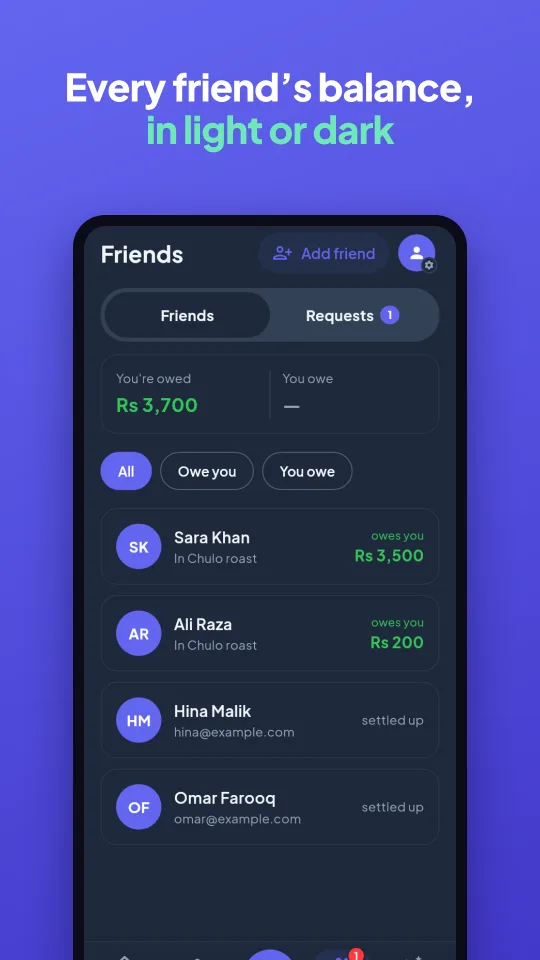
Evenzo follows your phone's theme automatically, or you can pick one yourself in Settings.
A quick look inside
Real screens from the app.
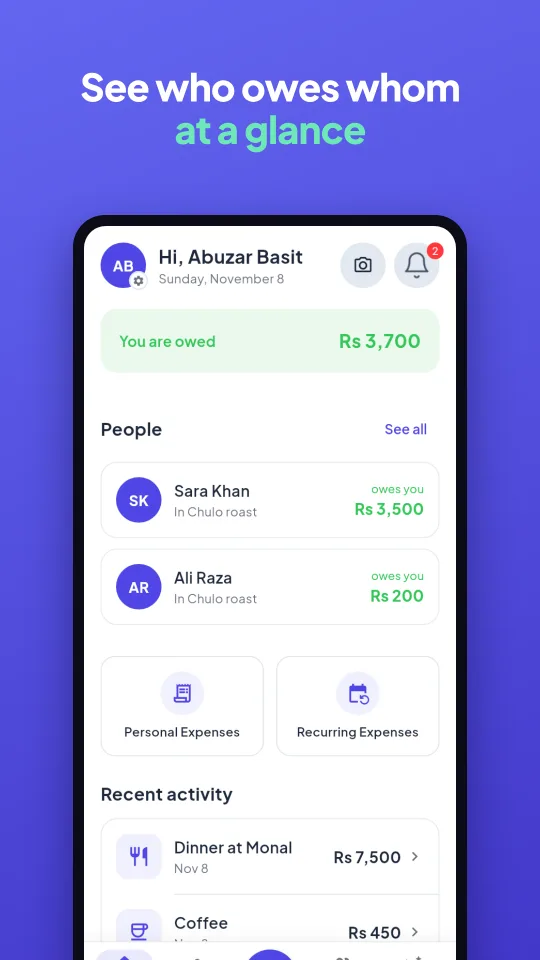
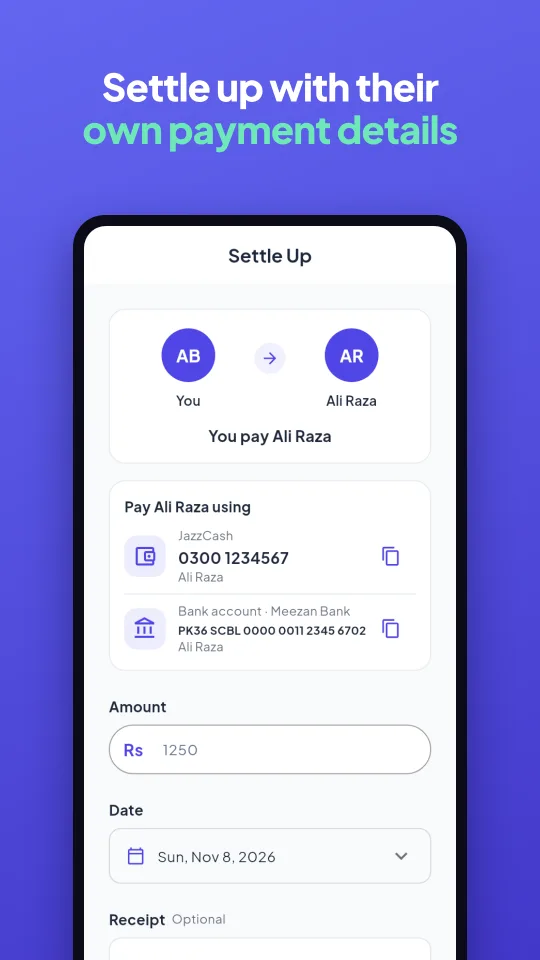
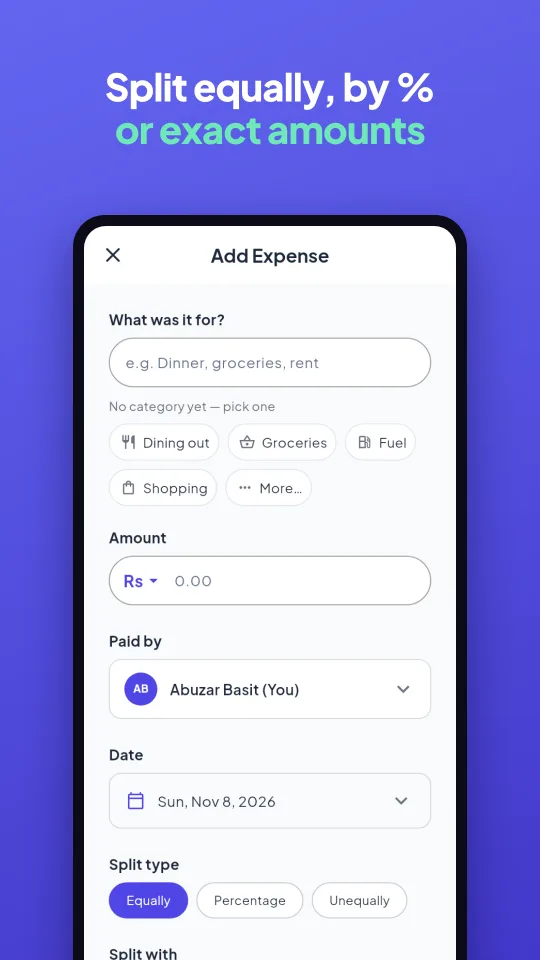
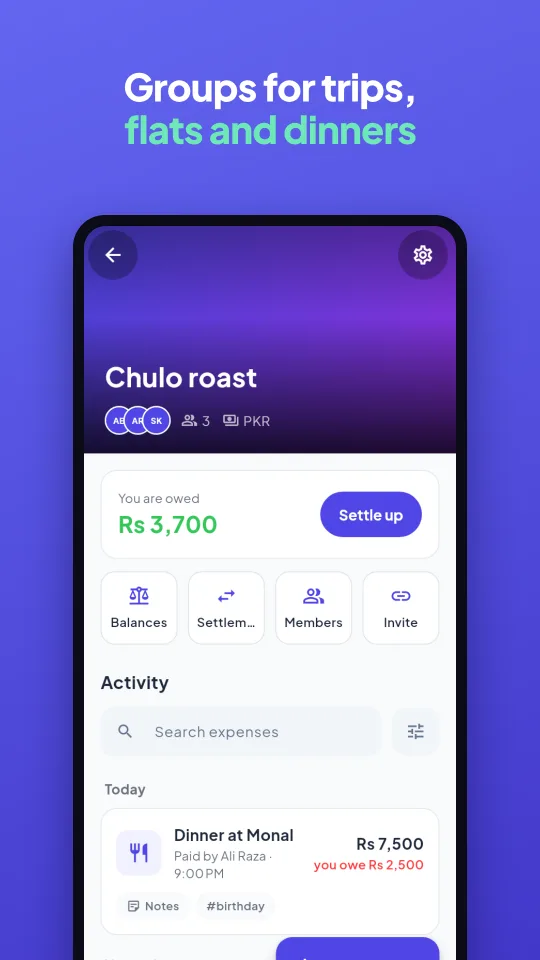
Your payment details, ready to go
Add them once on your profile. From then on, anyone who owes you sees exactly how to pay — right inside Settle Up, no "which account do I send it to?" message required.
Settled up in three steps
Create a group
Add a trip, flat, or event — invite friends by WhatsApp or SMS link and pick a shared currency.
Add expenses as you go
Log a bill, choose who's involved, and split it equally, by percentage, or by exact share.
Settle up in one tap
Evenzo tells you exactly who pays whom — see their JazzCash, Easypaisa or bank details, pay them directly, and confirm it.
Good to know
Is Evenzo free?
Yes — Evenzo is free to use, with no fees on recording expenses or settling up with friends. A few ads help cover the cost of running it.
Is my data private?
Your personal expenses are visible only to you. In a group, people only ever see what's actually shared inside that group — never your other groups or personal spending.
Does Evenzo move my money?
No. Evenzo tracks who owes whom and shows your payment details so the other person can pay you directly through JazzCash, Easypaisa, SadaPay, NayaPay, Raast or your bank — Evenzo itself never touches the money.
Can I use it in Urdu?
Yes — switch the whole app between English and اردو any time from Settings.
Is it available on iPhone?
Not yet — Evenzo is available on Android only for now.
How do I get it?
Download Evenzo free from Google Play on any phone running Android 7.0 or newer. If a friend sent you an invite link, open it after installing and you'll join them straight away.
Start splitting today
Download Evenzo, add your first group, and invite your friends on WhatsApp — it takes a minute.